
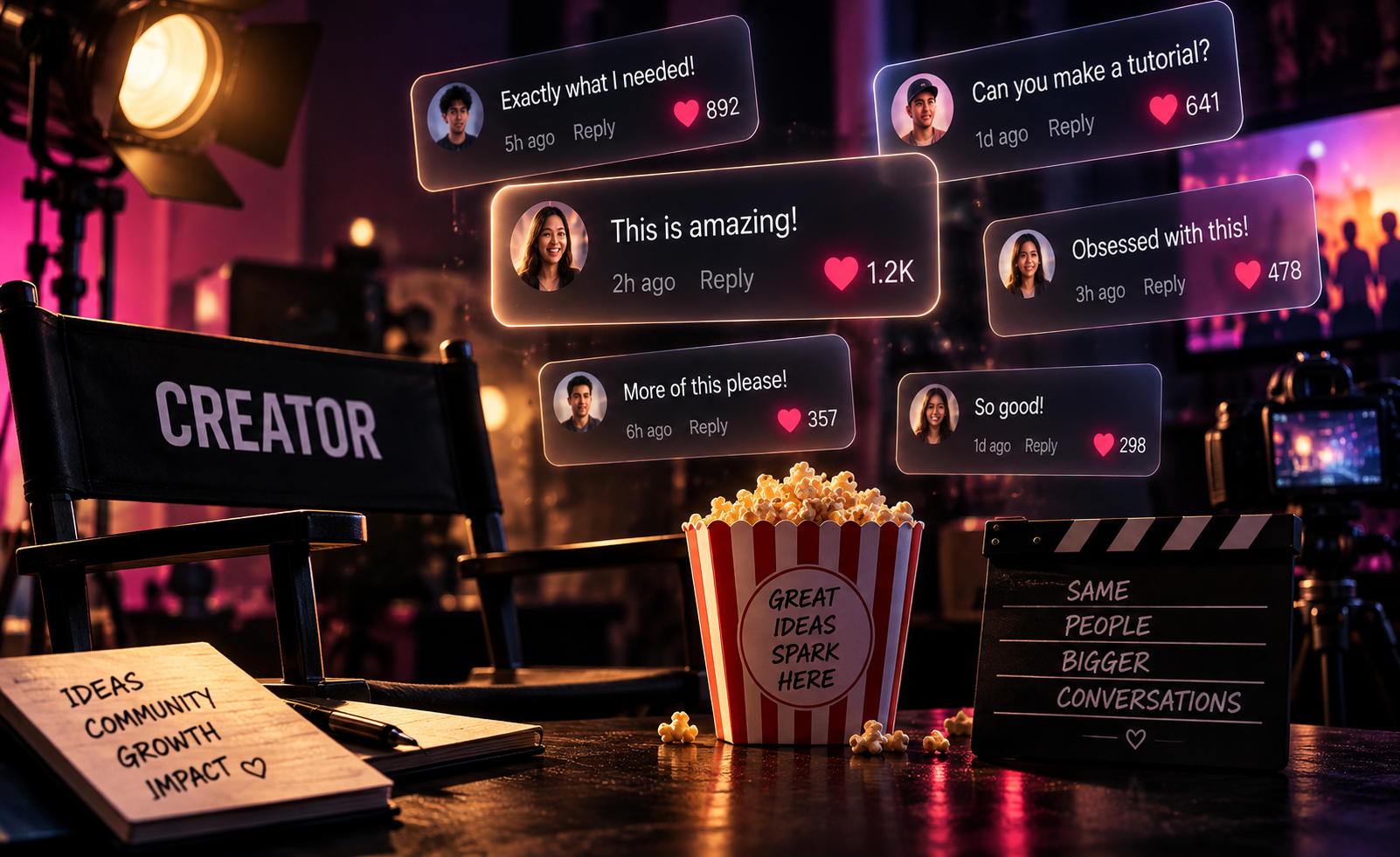
The comment section is usually treated as something that happens after you publish. But sometimes your audience accidentally writes the next campaign for you.
This prompt reverses the usual workflow by taking one memorable comment and making it the hero of the visual. Instead of screenshotting a comment and dropping it onto a photo, the comment becomes part of the art direction itself.
Cinematic Comment Section Campaign Prompt
Create a polished vertical social-media campaign image inspired by a real audience comment. Campaign subject: [PERSON / PRODUCT / BRAND / CREATOR] Audience comment: “[INSERT COMMENT]” Setting: [LOCATION OR ENVIRONMENT] Brand palette: [COLORS] Mood: [PLAYFUL / PREMIUM / DRAMATIC / CASUAL / BOLD] Build the entire visual around the audience comment as the primary creative device. Show [PERSON / PRODUCT / BRAND / CREATOR] naturally interacting with or existing within [SETTING]. The photograph should feel like an intentional editorial advertising shoot rather than generic social-media stock photography. Display the exact audience comment, “[INSERT COMMENT]”, inside one oversized social-comment card positioned prominently within the composition. Treat the comment card like a physical object existing inside the photographed environment. Give it realistic perspective, dimensional depth, subtle contact shadows, ambient reflections, natural occlusion, and believable interaction with the scene’s lighting. The comment should remain immediately readable. Use a minimal social interface inspired by modern comment sections without directly copying the proprietary interface of any specific platform. Include only essential visual elements: a small circular avatar placeholder, username [@USERNAME], the exact comment, and subtle interaction icons if needed. Do not invent additional comments or copy. Photography direction: cinematic commercial lifestyle photography, realistic skin texture, natural expressions, believable hands, authentic environmental details, controlled depth of field, professional color grading, realistic shadows, premium editorial lighting. Composition: vertical 4:5 format optimized for Instagram and social feeds. Establish a strong visual hierarchy between the subject and oversized comment. Keep sufficient negative space around both. Typography inside the comment card must be clean, crisp, correctly spelled, and highly legible. The final result should feel like a brand took a real comment from its community and transformed it into the concept for an entire campaign. Avoid cluttered interfaces, notification screens, multiple competing comments, fake engagement numbers, excessive floating UI, distorted typography, unnecessary captions, random logos, generic influencer poses, plastic AI skin, exaggerated expressions, or unrelated decorative elements. High-resolution, sophisticated social campaign art direction, photorealistic, contemporary, scroll-stopping, believable.
What This Prompt Creates
This prompt creates a social-first campaign visual built around one audience reaction.
The oversized comment can appear beside a creator, hover over a product, lean against an object, emerge from a billboard, or exist almost like a physical prop inside the photograph.
It works especially well for testimonials, funny customer reactions, creator replies, product launches, community posts, campaign recaps, and brands with active comment sections.
The concept can also become a repeatable series: one audience comment, one visual, one post.
How to Use It
Start by choosing a comment that can carry an entire post. Short reactions usually work better than paragraphs because the viewer should understand the idea within seconds.
Paste the comment exactly as written into [INSERT COMMENT]. Add your subject, location, brand colors, and desired mood.
Then decide how prominent the comment should feel. For a testimonial, make it elegant and restrained. For a funny reaction, make the comment absurdly large compared with the person in the scene.
Generate the image in 4:5 portrait format for a feed post. You can also reuse the concept across a carousel by featuring a different audience comment on each slide while maintaining the same photographic direction.
Make It Your Own
Giant Comment: Make the comment card physically enormous, with the creator casually sitting or leaning against it like an advertising installation.
Product Reaction: Place the product in the foreground while a customer’s enthusiastic comment appears behind it like a premium campaign headline.
Street Billboard: Transform the comment into a realistic outdoor billboard, bus shelter, digital screen, or building advertisement while the subject interacts with the environment.
Creator Reply: Feature two connected cards, the original audience comment and one short creator response, to turn the exchange into the visual story.
Comment Takeover: Build a coordinated carousel where every slide transforms a different real audience reaction into its own cinematic scene.
Tips for Better Results
Use one strong comment instead of ten mediocre ones. The entire point is to elevate a small piece of community interaction into something important enough to carry the creative.
Keep comments short whenever possible. Five to twelve words gives the typography room to breathe and makes the concept readable while someone is scrolling.
Specify the environment rather than asking for a generic background. “Bright neighborhood café with large windows and morning sunlight” will usually produce stronger results than simply saying “café.”
Keep the interface minimal. You want viewers to recognize that they’re looking at a comment without turning the image into a giant screenshot.
If you’re creating a series, lock the brand palette, typography treatment, comment-card design, lighting style, and photographic direction. Change the comment and scenario, not the entire visual identity.
And use real audience language when possible. A perfectly polished marketing sentence pretending to be a comment has approximately the stealth capabilities of a refrigerator wearing sunglasses.