
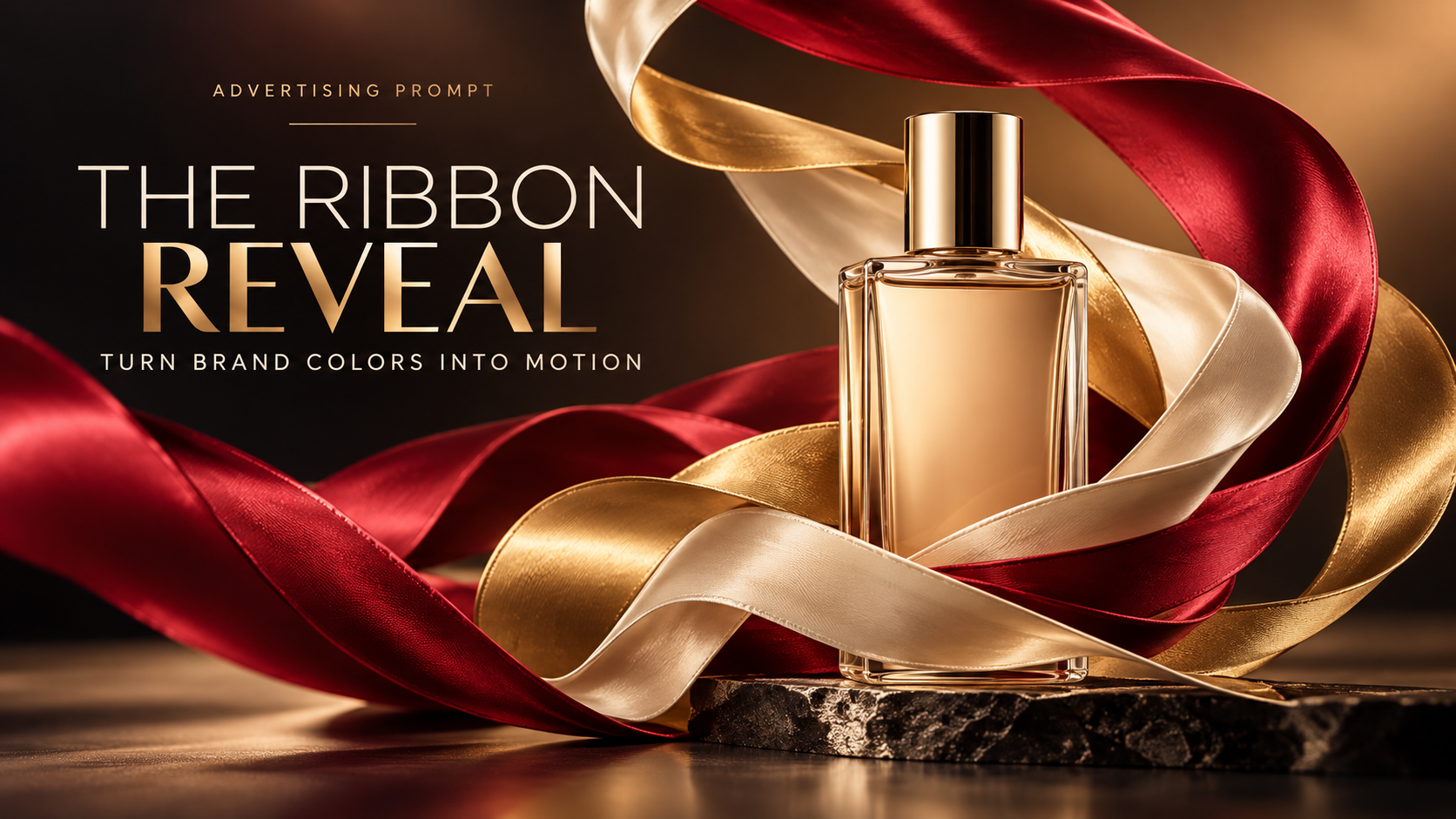
The Ribbon Reveal: Turn Brand Colors Into Motion
A great product ad can communicate movement without a single frame of video. In The Ribbon Reveal, flowing fabric turns your brand colors into a visual path that leads the eye straight to the product.
The trick is to treat the ribbons like real materials on a real set. With controlled lighting, believable fabric tension, and a strong hero composition, you can make a static campaign image feel full of energy.
The Ribbon Reveal AI Prompt
Create a photorealistic, premium advertising key visual for [PRODUCT NAME / TYPE] from the supplied product reference, featuring the product as the unmistakable hero of a dramatic ribbon-in-motion studio composition. Preserve the exact product silhouette, proportions, construction, color, cap or closure, material finish, packaging geometry, and any legible brand marks shown in the reference. Do not redesign the product, invent label copy, or change its function. ART DIRECTION: Build one graceful, sweeping S-curve around the product using two or three broad ribbons of real satin or lightweight silk in [PRIMARY BRAND COLOR], [SECONDARY BRAND COLOR], and an optional restrained accent. The ribbons should feel caught in a controlled gust at the precise peak of motion: elegant arcs, slight twists, fine fabric weave, natural hems, realistic tension, soft creases, and plausible gravity. Let ribbons enter and leave the frame or connect to discreet off-camera supports; they must not look like weightless CGI loops. The fabric frames the hero product without hiding its shape, label, or key selling feature. SCENE AND COMPOSITION: Place the product securely on a simple [PEDESTAL MATERIAL] plinth in a seamless [BACKGROUND COLOR] studio. Use a low-to-mid three-quarter camera angle and a carefully composed 3:4 vertical frame, 1080×1440. Keep the hero product in sharp focus, occupying roughly 45–60% of the visual height. Place the primary ribbon arc behind and beside the product, with one smaller foreground pass to add depth. Reserve a clean area in the upper-right or upper-left for an optional advertising headline to be added later by a designer. Keep the image premium, minimal, graphic, and immediately understandable on a phone screen. LIGHTING AND MATERIALS: Use a large diffused softbox as the key light, a controlled rim light that traces the silk folds and product edges, and a gentle bounce fill. Maintain coherent cast shadows, reflections, contact points, and highlight directions. If the product is glass, preserve believable transparency and refraction; if metal, show controlled specular reflections; if matte packaging, keep the surface tactile rather than glossy. Add subtle depth of field while retaining enough detail to see the fabric texture. BRAND AND STORY: Express [BRAND PERSONALITY: energetic / elegant / playful / refined] through the rhythm of the ribbon curves and the brand palette, not through random decorative elements. The finished image should feel like a real, high-budget campaign photograph for a modern product launch. No floating duplicate products, no confetti, no extra objects, no distorted labels, no garbled text, no plastic-looking cloth, no broken physics, no watermarks, and no artificial-looking 3D render. Deliver one high-resolution final image, photorealistic and art-directable.
What This Prompt Creates
The Ribbon Reveal produces a high-impact product advertisement in which two or three flowing fabric ribbons create a dynamic frame around a clearly recognizable hero product. Instead of relying on impossible floating objects or noisy visual effects, the composition uses tactile satin or silk, a deliberate brand palette, and studio-quality lighting to suggest motion.
Expect a polished launch-campaign image with readable product form, elegant curves, natural folds, strong color separation, and useful negative space for a headline. It works especially well for beauty packaging, beverages, headphones, accessories, and other products with a distinctive silhouette.
How to Use It
1. Start with a clean product reference photo. A front or three-quarter view with good label detail makes it easier to preserve the original packaging.
2. Replace the bracketed fields in the prompt: product name/type, primary and secondary brand colors, pedestal material, background color, and brand personality.
3. Generate a 3:4 vertical image at 1080×1440 for Instagram. Keep the product crisp and the ribbon movement believable. If your tool supports image references, upload the real product photo.
4. Check the packaging, contact shadows, fabric edges, and any brand marks. Regenerate or inpaint errors before adding your own headline and CTA in a design editor.
5. For a website banner, recompose the scene in 16:9 rather than stretching the portrait result. Keep the same product, palette, lighting, and ribbon trajectory.
Make It Your Own
1. Luxury Satin — Use deep burgundy and champagne silk, a warm stone plinth, and subtle rim lighting for perfume or premium skincare.
2. Sport Energy — Use two sharply curved electric-blue and citrus ribbons with a graphite pedestal for sneakers, headphones, or active products.
3. Soft Beauty — Try blush-pink organza and ivory satin with airy shadows for cosmetics; keep the product label unobstructed.
4. Monochrome Minimal — Use black-on-black ribbons with directional silver edge light for watches, tech, or luxury accessories.
5. Eco Texture — Swap satin for responsibly styled unbleached linen strips, earthy colors, and a recycled-paper pedestal; preserve realistic fabric weight.
Tips for Better Results
Use no more than three ribbons. Too many curves compete with the product and make the scene look like decorative CGI.
Anchor the motion. Fabric should have tension, a plausible path, and believable folds; hidden supports or off-frame entry points are fine.
Keep the product larger than the effects. The hero object should remain the first thing a viewer recognizes at mobile size.
Match the lighting across product, plinth, ribbons, and shadows. Inconsistent highlights immediately break the illusion.
Protect the branding. Ask the model to preserve packaging, but verify small labels manually; add final campaign typography in your design tool.
Design for cropping. Leave deliberate negative space for headlines and keep important product details away from the edges.