
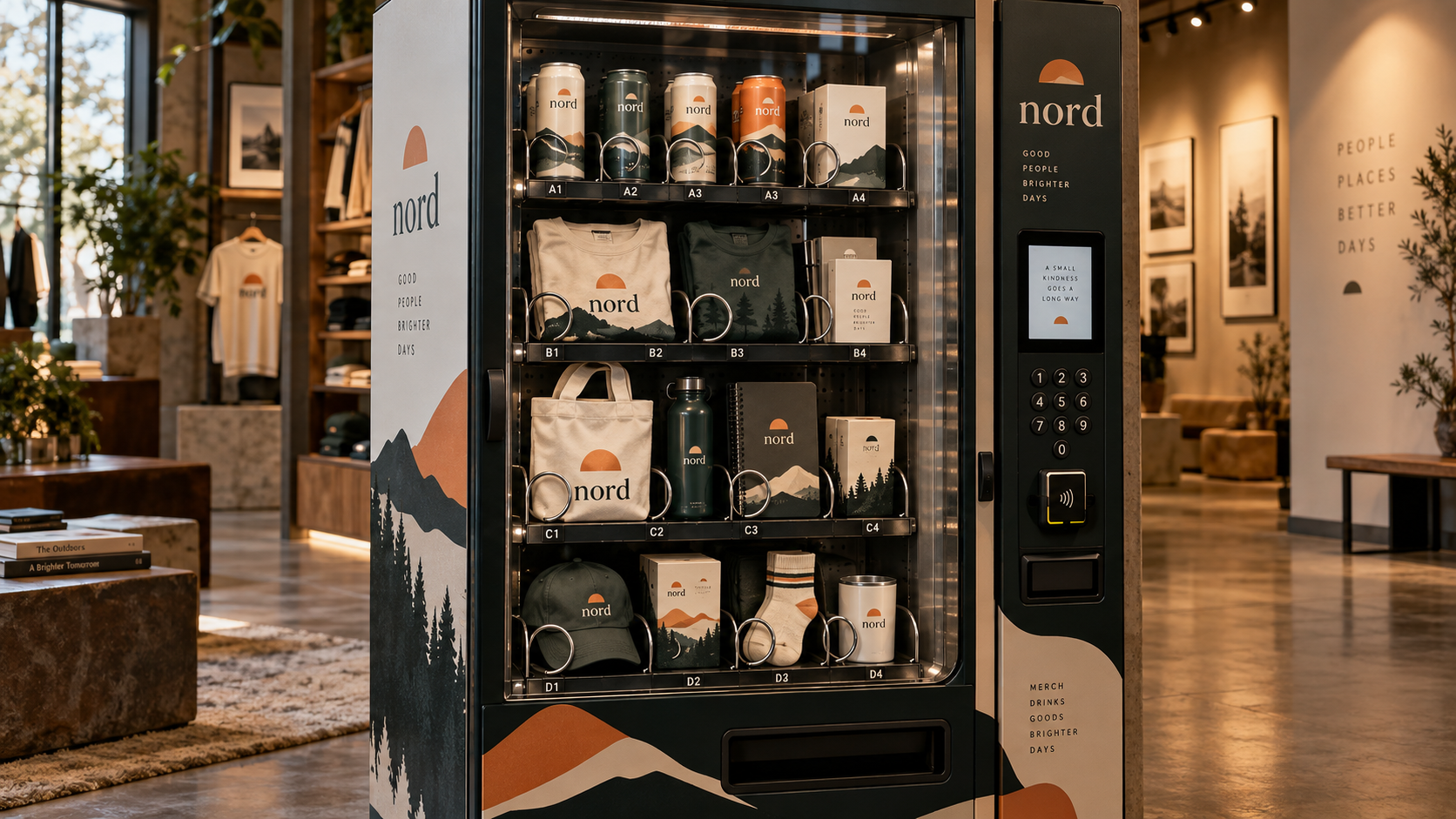
A brand identity can look consistent on a moodboard yet fall apart once it meets real objects. A vending machine provides a compact way to test the entire system at the same time.
This prompt turns a machine full of everyday goods into an unconventional brand presentation. Each compartment is a different application, but the palette, graphic language, and personality should feel unmistakably connected.
Brand Identity Vending Machine Prompt
Create a premium, photorealistic brand-identity presentation in the form of a fully customized physical vending machine. Brand name: [BRAND NAME]. Logo reference: [ATTACHED LOGO OR NONE]. Approved palette: [HEX COLORS]. Type and design language: [TYPOGRAPHY / SHAPES / PATTERNS / MATERIALS]. Approved copy: [EXACT WORDS ONLY, OR NONE]. Contents: [FIVE OR SIX MERCHANDISE OR PACKAGING ITEMS]. Setting: [BOUTIQUE / GALLERY / STREET / EVENT]. Show one complete vending machine with real glass, practical selection buttons, product windows, dispenser spirals, internal shelving, realistic scaling, access hatch, payment area, vents, and believable structure. Fill adjacent slots with several distinct products—such as packages, apparel, accessories, printed items, or bottles—designed in the SAME coherent brand system. Use one consistent palette, typography direction, graphic motif, label architecture, logo treatment, and material language across the machine itself and every displayed item. Preserve the exact logo when provided. Use only user-supplied copy. Do not invent brand slogans or redesign an attached brand mark. Photography: high-end retail installation shot, natural perspective, crisp merchandise details, believable glass reflections and contact shadows, subtle environment context, and carefully controlled lighting. Ensure the machine feels physically manufacturable and all contents fit in the slots. Make the result a brand-world showcase, not a random product collage. No floating graphics, duplicated products, malformed lettering, irrelevant signage, watermarks, or made-up labels. Compose it as a real designer vending machine photographed for a branding case study.
What This Prompt Creates
A photorealistic custom vending machine with multiple branded merchandise types. The machine serves as the hero artifact, while its contents demonstrate how one identity translates to products, packaging, garments, stationery, and retail graphics.
How to Use It
Supply your logo if you have one, along with [BRAND NAME], [PALETTE], [STYLE], and the exact approved phrases. Choose five or six distinct products to populate the slots. Keep the same logo placement logic, type family, graphic motifs, and material finishes across every object.
Without real brand assets, request an unbranded concept using abstract shapes and colors; add exact logo and text art in postproduction. Do not ask an image model to invent a specific existing brand identity.
Make It Your Own
Beauty Drop: Fill the machine with skincare bottles, cartons, sample kits, and pouches.
Creative Studio Merch: Use tees, stickers, desk tools, notebook sets, and tote bags.
Coffee Brand: Show canned drinks, bags of beans, cups, and small takeaway accessories.
Monochrome Luxury: Restrict the scene to black, white, and one metallic material for a gallery-like feel.
Pop-Up Streetwear: Place the machine outdoors at night with practical neon reflections and a few carefully branded garments.
Tips for Better Results
Limit the range of products; five distinct formats communicate the system more clearly than 25 tiny unreadable items.
Use the same logo, palette, type hierarchy, and pattern consistently across compartments.
Request real vending-machine mechanics: glass, spiral dispensers, buttons, pricing windows, hinges, vents, and believable dimensions.
If precise brand text is essential, place it on the final mockups manually after generating the physical scene.