
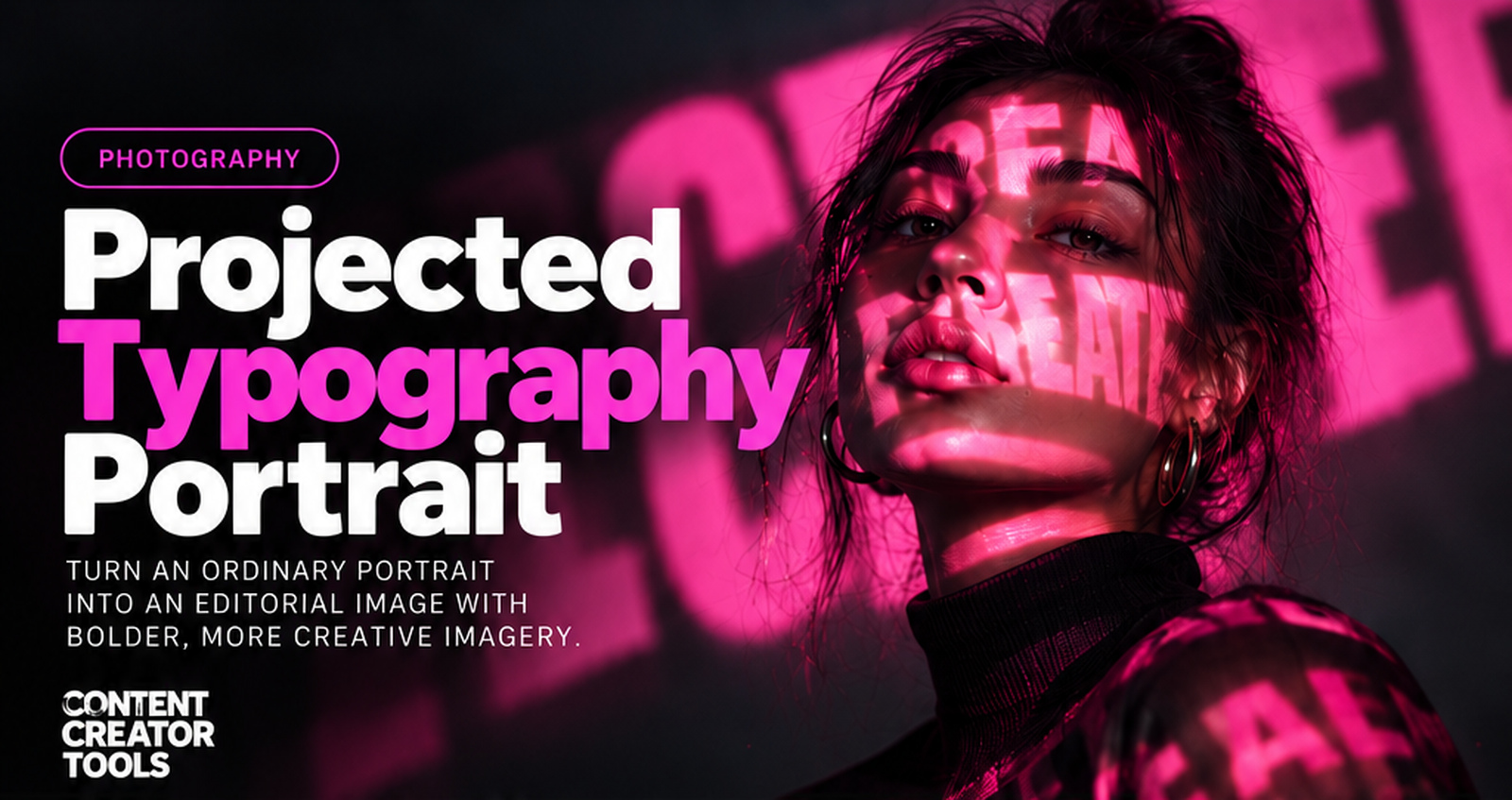
Typography does not always have to sit on top of a photograph.
With projection, the type can become part of the photograph itself. Oversized letters can bend across a face, disappear into clothing folds, break against a wall, and fade naturally into shadow. The result feels less like text added in Photoshop and more like an art-directed studio shoot.
This prompt helps you create that effect with AI while keeping the subject recognizable and the projection believable.
Projected Typography Portrait Prompt
Create a realistic editorial portrait using the supplied portrait as the identity reference. Preserve the subject’s recognizable facial features, face shape, skin tone, hair, and natural proportions. Photograph the subject in [SETTING] wearing [WARDROBE]. Use a real projector effect to cast oversized [WORDS / SYMBOLS / GRAPHIC PATTERN] across the subject and surrounding environment in [PROJECTION COLOR]. The typography must behave as projected light, not as a graphic overlay. Let the letters wrap naturally around the forehead, cheeks, nose, lips, neck, clothing folds, arms, and background surfaces. Distort the shapes according to the three-dimensional contours they hit. Parts of letters should disappear into shadows, break across edges, become partially cropped, and continue onto nearby surfaces. Avoid making every word perfectly readable. Use oversized fragments, cropped letters, overlapping projections, and irregular placement so the image feels photographed rather than designed afterward. Create believable projector behavior: – Bright illuminated areas – Softer falloff at the edges – Realistic occlusion – Subtle light spill – Natural shadows – Slight atmospheric haze where appropriate The projected light should affect the subject’s skin and clothing without changing their identity. PHOTOGRAPHY DIRECTION: Premium fashion editorial. Cinematic contrast. Realistic skin texture. Detailed fabric. Natural pores. Sharp eyes. Controlled depth of field. High-end commercial photography. Avoid plastic AI skin, malformed hands, duplicated facial features, flat typography overlays, and perfectly clean digital text. CAMERA: [CLOSE-UP / MEDIUM PORTRAIT / FULL BODY] Lens: [LENS] Use realistic photographic depth. MOOD: [MOODY / BOLD / FUTURISTIC / MINIMAL / REBELLIOUS] BACKGROUND: [BACKGROUND] IMPORTANT: – Treat typography as physical projected light. – Preserve the subject’s identity. – Do not make every word readable. – Let letters fragment and crop naturally. – Distort projections across three-dimensional surfaces. – Maintain realistic shadows and light falloff. – Do not paste typography flat over the portrait. – Keep skin and fabric texture realistic. The final image should look like a real creative studio photoshoot using physical projection mapping, not typography pasted over a portrait.
What This Prompt Creates
This prompt creates a realistic editorial portrait where typography, symbols, numbers, handwriting, or graphic patterns are projected physically across the subject and surrounding environment.
Instead of treating the words as a clean graphic overlay, the AI treats them as light. The projection follows facial contours, wraps around clothing, changes intensity across different surfaces, becomes obscured by shadows, and continues naturally into the background.
The result can work especially well for fashion editorials, musician portraits, creator branding, campaign imagery, album artwork, experimental posters, and bold social content.
How to Use It
Upload a clear portrait if you want to preserve a specific person’s identity, or describe the subject you want the AI to create.
Then customize the creative direction.
For example:
Setting: Dark photography studio
Wardrobe: Minimal black jacket
Projection: Oversized fragmented editorial typography
Projection color: White
Camera: Close-up portrait
Lens: 85mm
Mood: Moody / bold
Background: Dark charcoal studio wall
The important part is telling the AI that the typography is physical projected light, not a graphic placed over the finished image.
The letters should not all be perfectly readable. Let oversized fragments cross the face, disappear beyond the frame, break across clothing folds, and continue onto the background.
Make It Your Own
Brand Word Portrait
Project a signature brand word, campaign phrase, or slogan across the subject. Keep the letters oversized and fragmented so the image still feels photographic rather than like an advertisement with text placed on top.
Code Projection
Replace typography with code, numbers, interface fragments, coordinates, or technical symbols for a futuristic or technology-inspired portrait.
Newspaper Projection
Use headlines, columns, dates, and editorial fragments to create a print-inspired fashion image. Avoid making every line readable. The newspaper texture should behave like projected light rather than a pasted page.
Handwritten Projection
Project handwritten notes, signatures, sketches, doodles, or personal phrases for a more intimate and expressive portrait.
Dual-Color Projection
Use two projections from different directions with contrasting colors. Let the light overlap naturally across the subject to create more depth and visual tension.
Tips for Better Results
Use large typography. Tiny paragraphs usually turn into visual noise and can make the result look obviously AI-generated.
If the typography looks like a Photoshop overlay, reinforce:
“Treat all typography as physical projected light. Distort it naturally across the three-dimensional contours of the face, body, clothing, and environment.”
If the words become too clean and readable, add:
“Reduce readability. Use oversized fragments, partial letters, irregular cropping, overlapping projections, and sections disappearing into shadow.”
If the image becomes too artificial, add:
“Prioritize realistic skin texture, natural pores, believable projector falloff, physical shadows, subtle light spill, and real photographic depth.”
And if you are using an uploaded portrait, explicitly tell the AI to preserve the person’s facial structure, skin tone, hair, and natural proportions. The projection should transform the lighting, not the person’s identity.
Why This Works for Photography
Projection gives typography something a normal text overlay does not have: physical interaction with the subject.
A letter crossing a cheek changes shape. A word hitting a jacket breaks across folds. Light falling onto a wall behaves differently than light hitting skin. Those imperfections make the typography feel like it existed when the photograph was taken.
That is what makes the technique visually interesting. The typography becomes part of the lighting, composition, and photography rather than a separate design layer.
Final Thought
The goal is not to make every word readable.
The goal is to make the typography feel like light.
Once the letters start wrapping, breaking, fading, and disappearing across the scene, the portrait stops looking like a graphic with text on it and starts feeling like a real creative photoshoot.